Key takeaways
- A solar monitoring app shows how much power your system is making right now and over each day, month and year. Depending on the setup, it can also show what your home uses and the status of each part. With microinverters, you can usually see each panel's output; with a string inverter, you see the system as a whole.
- To tell if your solar panels are working, check the app around midday on a clear, sunny day: production should be strong and every panel or inverter should be reporting. Then compare this month with the same month last year, in similar weather, rather than with last month.
- Low numbers are often normal. Short winter days, clouds, snow, new shade from growing trees and grid outages all cut production. A panel or inverter that stops reporting on clear days, zero output on a sunny afternoon, or a sudden drop that lasts several sunny days points to a real problem.
- If something looks wrong, call your installer rather than going on the roof. With a lease or PPA, the company that owns the system handles repairs. Every Evergreen Solar system carries a 25-year comprehensive solar warranty and a 25-year power production guarantee.
Solar panels work quietly. There's no hum and no moving parts, so the easiest way to know your system is doing its job is the monitoring app that comes with it.
This article covers what the app shows, how to read it, which dips are normal and which ones mean a call to your installer. For how the whole system fits together, see our guide to how home solar works.
What does a solar monitoring app show?
Your inverters do more than convert the panels' power for your home. The Department of Energy notes that a home inverter can monitor the system and connect it to the internet. The app is where that information shows up. Most apps show:
- Production. How much power the system is making now, plus totals for the day, month and year.
- Home use. On systems set up to measure it, what your home is using and how much comes from the grid or goes back to it.
- System health. Whether every part is online and reporting, with alerts when something isn't.
- History. Charts you can use to compare one month or year with another.
How much detail you get depends on your inverters. With microinverters, there's a small inverter on each panel, so the app can usually show each panel's output. With a string inverter, panels are wired together in groups to one inverter, so you mostly see the system as a whole. Our comparison of micro-inverters and string inverters explains the trade-offs.
Evergreen Solar customers see production, home usage and system health in a monitoring app.
How can you tell if your solar panels are working?
Three quick checks cover most of it:
- The sunny-day check. Open the app around midday on a clear day. Production should be strong, and every panel or inverter should be reporting.
- The same-month check. Compare this month with the same month last year, in similar weather. Comparing June with December, or even October with September, tells you about the seasons, not your system.
- The alert check. Make sure the app's notifications are turned on, so a fault reaches you without a daily look.
In your first year there's no "last year" to compare with. Use the sunny-day check, and keep an eye on whether any panel looks very different from its neighbors on a clear day.
The longer view matters most. Before installation, Evergreen Solar's engineering team estimates your system's yearly production with its own design software, using historical weather for your location. Any single week can run high or low. Over a full year, your total is the number to hold up against that estimate, and the production guarantee stands behind it.
Why is my solar production low? Normal reasons
Most low numbers have an everyday cause:
- Winter. Short days and a low sun mean less production from November through February. Your system is designed from historical weather data to average out over the whole year.
- Clouds. A gray week cuts production. It doesn't stop it.
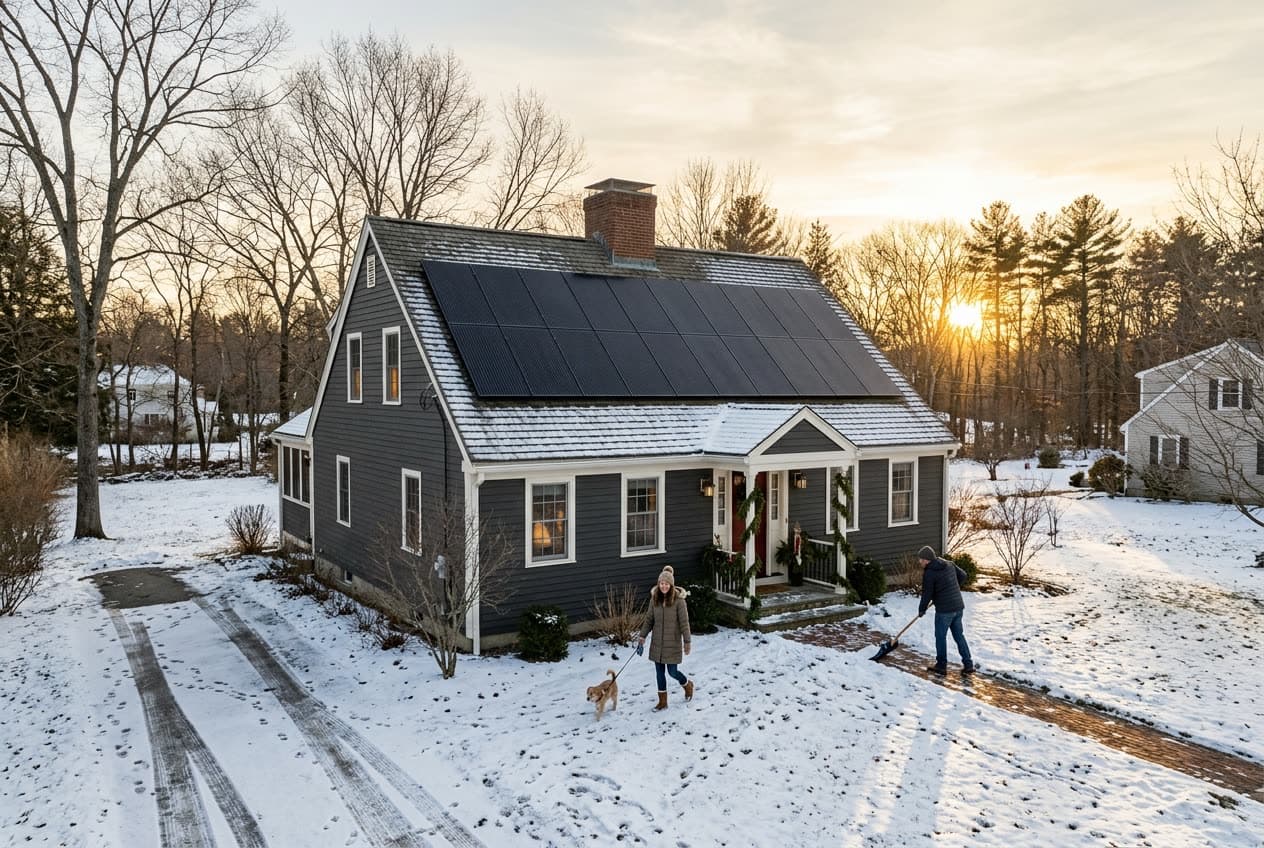
- Snow. Panels covered in snow pause until it melts or slides off, and they may show as not reporting meanwhile. Our article on solar panels and snow covers what to expect.
- New shade. Trees grow, and a branch that missed the panels a few years ago may not now. If the same panels lag every afternoon, see our guide to trees, shade and solar panels.
- Power outages. A grid-tied system without a battery shuts off during an outage so it can't send power onto lines crews are repairing. Zero production during a blackout is the system doing its job. Our article on solar panels in a power outage explains why.
- Dust and pollen. In New England, rain usually rinses it off. Our solar panel maintenance guide covers when cleaning is worth it.
What signs point to a real problem?
Some patterns aren't explained by weather or the season. These are the ones to act on:
| What you see | What it may mean | What to do |
|---|---|---|
| One panel or inverter not reporting on clear days | A faulty microinverter, panel or connection | Call your installer |
| Zero production on a sunny afternoon, with the grid on | The inverter or a breaker is off, or a fault has shut the system down | Call your installer |
| A sudden drop that lasts several sunny days | Damage, a wiring problem or a failing part | Call your installer |
| The app hasn't updated in days | Usually an internet or Wi-Fi issue, not a production problem | Reconnect the monitoring device to Wi-Fi |
Also look at the array from the ground after a big storm. A panel sitting at an odd angle, or debris on the array, is worth a call even if the numbers look fine.
With panel-level data, the useful comparison is side by side. Panels facing the same direction on the same roof should rise and fall together through the day. If one sits well below its neighbors on a clear afternoon, and no shade or snow explains it, that panel or its microinverter may need a look. Panels on different sides of the roof will differ, and that's expected.
What if your monitoring app stops updating?
The app needs an internet connection to send data from your home to your phone. Your panels don't. If your Wi-Fi drops, the system keeps producing power. Only the app goes quiet.
The most common cause is a change at home: a new router, a new internet provider, or a new Wi-Fi name or password. The monitoring equipment is still trying the old network. Reconnecting it usually takes a few minutes with the app, or your installer can walk you through it.
Many monitoring devices store data while offline and upload it once they reconnect, so the gap fills in. If the app stays offline after you've reconnected it, call your installer.
Know the difference between two alerts that look alike. When the whole system stops reporting at once, right after a Wi-Fi change, it's a connection issue. When one panel or inverter stops reporting while the rest of the system is online, the connection is fine, so that one part has likely stopped working. That's the one worth a call.
How does your electric bill show your system is working?
Your utility bill is a second, independent check. With net metering, the power your panels send to the grid earns credits, and the bill shows them. Connecticut's RRES program works a little differently, but the bill still shows what your panels sent to the grid. In spring and summer, those credits often build up.
If the app is offline but your bill still shows power going to the grid and credits building, your panels are working. If the bill suddenly shows more power drawn from the grid than the same month last year, with no change in how you use energy at home, check the app. Our guide to your electric bill with solar panels shows where to find these numbers.
What should you do if something looks wrong?
Call your installer. Don't climb onto the roof, open the inverter or touch the wiring. A technician can often spot the fault in the monitoring data before anyone visits.
If you have a lease or PPA, call the company that owns the system. Maintenance and repairs are its responsibility, not yours. If you own the system, your warranties cover defects in the equipment.
Every Evergreen Solar system includes a 25-year comprehensive solar warranty and a 25-year power production guarantee: if the panels don't produce what we promised, we cover the difference. Questions about how monitoring would work on your home? Call us at (508) 507-2908.
Frequently asked questions
How do I know if my solar panels are producing electricity?
Open your monitoring app around midday on a clear day. It should show the system producing power and every panel or inverter reporting. If you don't have the app handy, look at your utility bill: net metering credits or power sent to the grid show the panels are making electricity.
Do solar panels stop working if the Wi-Fi goes down?
No. The panels and inverters keep producing power without the internet. Only the app stops updating. Many systems store the data while offline and fill in the gap once they reconnect. If the app stops updating after you change your router, internet provider or Wi-Fi password, the monitoring equipment needs to be reconnected.
Why is my solar production lower this month than last month?
Usually because of the season. Days get shorter and the sun sits lower from fall into winter, so production drops month to month. Clouds, snow and new shade from trees also lower it. Compare this month with the same month last year to see whether anything has really changed.
Should I check my solar monitoring app every day?
No. A glance now and then is enough, plus a look after big storms. Turn on the app's alerts if it offers them, so you hear about problems without checking. Once a month, compare production with the same month last year to make sure the system is on track.
Your next step
See what solar would do for your home
We design a system for your roof and show you the numbers for every way to pay. Free, with no pressure.
Get my free solar quoteKeep reading
How we wrote this
This page was written by the Evergreen Solar team, which designs and installs home solar across Massachusetts, Rhode Island, Connecticut, New Jersey and Pennsylvania. Program rules and rates change, so we check every figure against the primary source listed below and note the date we last did. If something has changed, tell us at our contact page.
Sources
- U.S. Department of Energy: Solar Integration, Inverters and Grid Services Basics
- Enphase: Homeowner app features (panel-level production and system status)
- Enphase: Homeowner updates (offline gateway data storage and Wi-Fi reconnection)
- Sandia National Laboratories: The Impact of Snow on PV Performance